Connect Ashby → SwiftLynx (5-minute setup)
SwiftLynx automatically analyzes new applications from Ashby and posts a summary to Slack.
Most teams complete setup in ~5 minutes — just follow the steps below.
TL;DR (recommended)
- In SwiftLynx → Settings → Integrations, click Ashby, then in the setup assistant click Continue. On the next step, copy the Request URL and Secret Token. Connect Slack separately via the Slack card (OAuth) if you haven’t already.
- In Ashby → Admin → Integrations → Webhooks, create a webhook (e.g., Application Submitted) using the SwiftLynx Request URL and Secret Token. Save & send a test/ping.
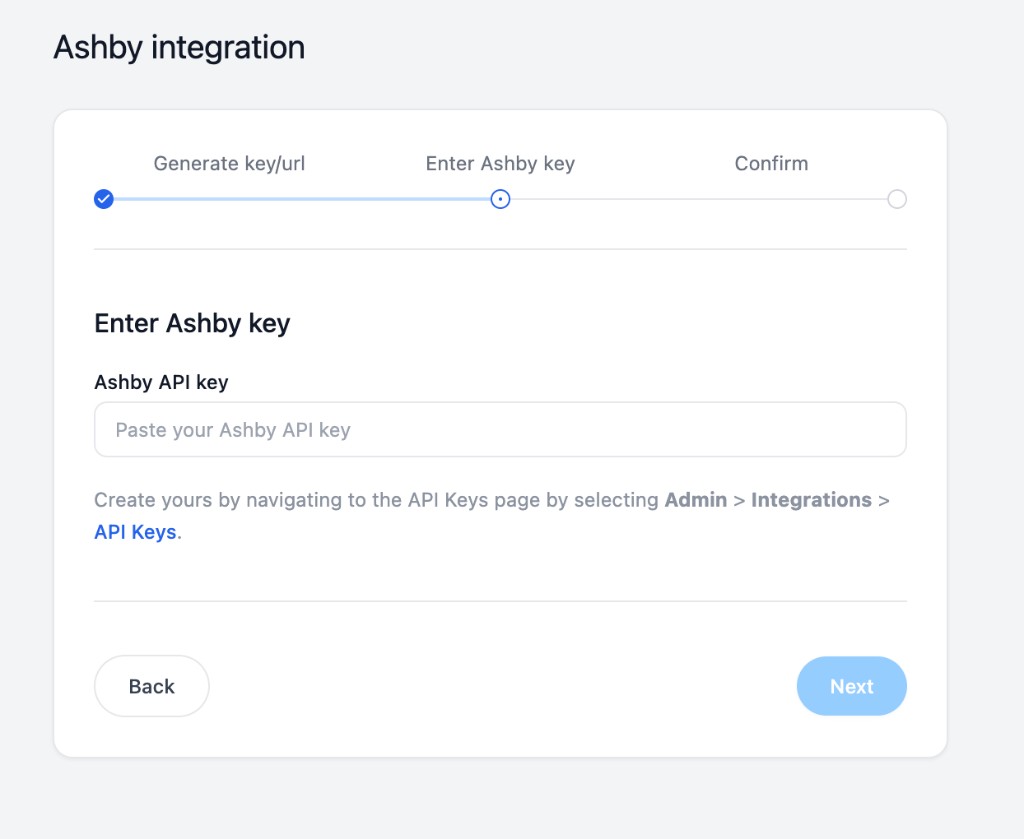
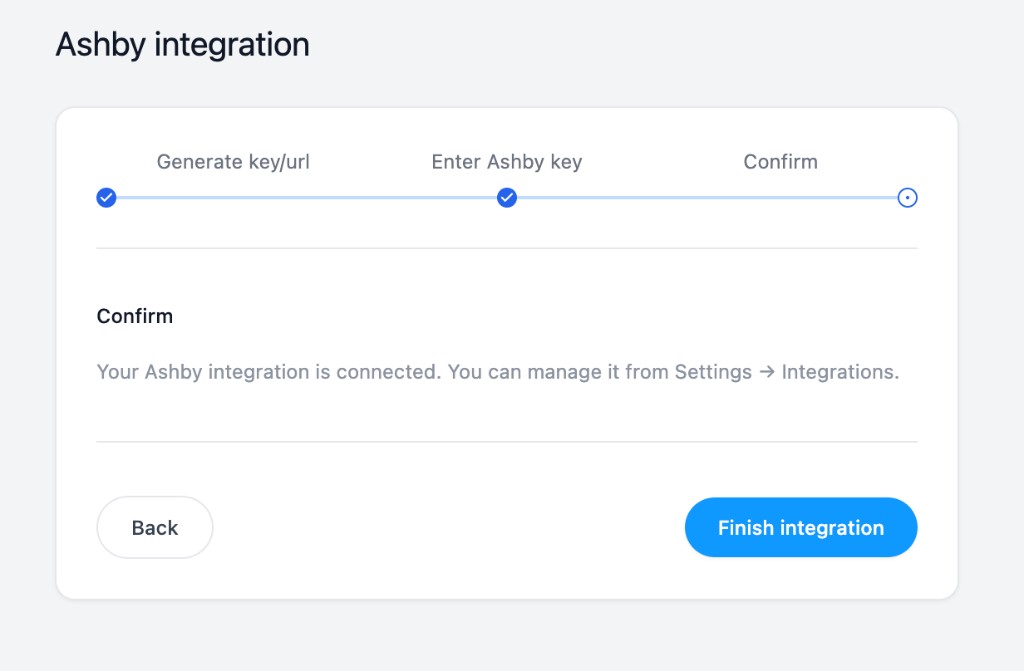
- Still in the same SwiftLynx setup flow, go to the Enter Ashby key step and paste the Ashby API key you just created. Click Next, then Finish integration.
- Submit a test application → you should see a Slack summary. 🎉
Step 1 — In SwiftLynx: Create an Ashby Integration
Go to Settings → Integrations, click the Ashby card. Make sure you're signed in first.
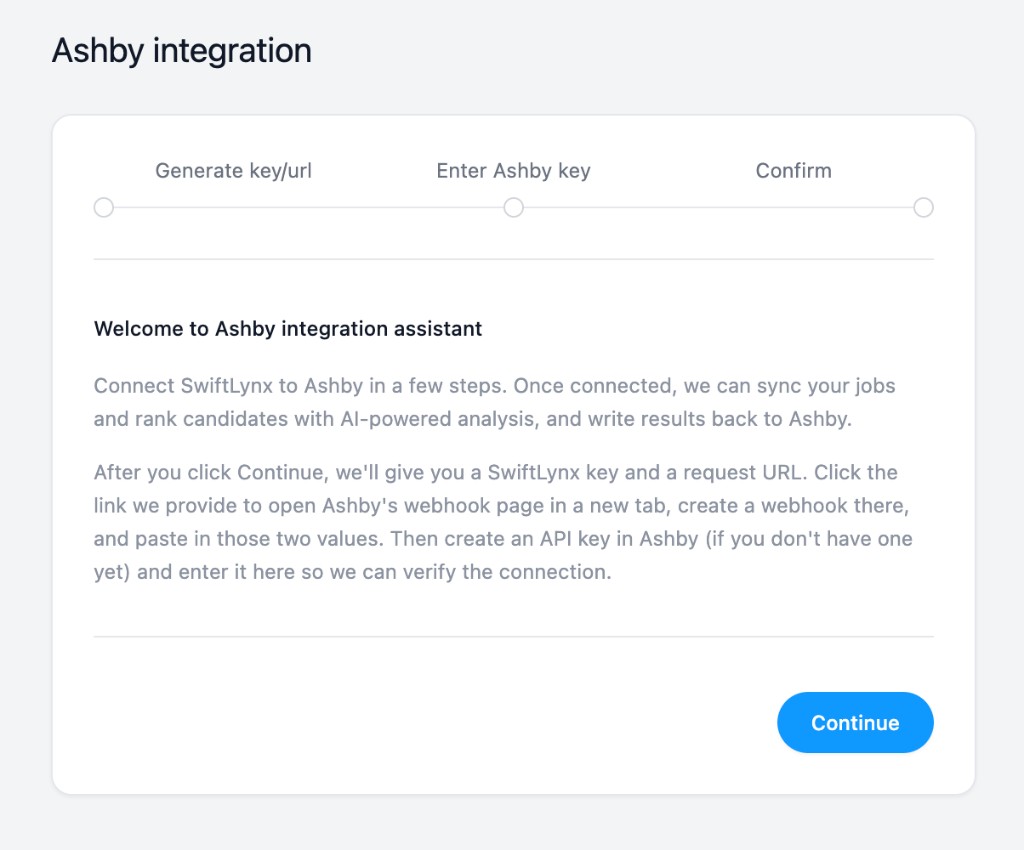
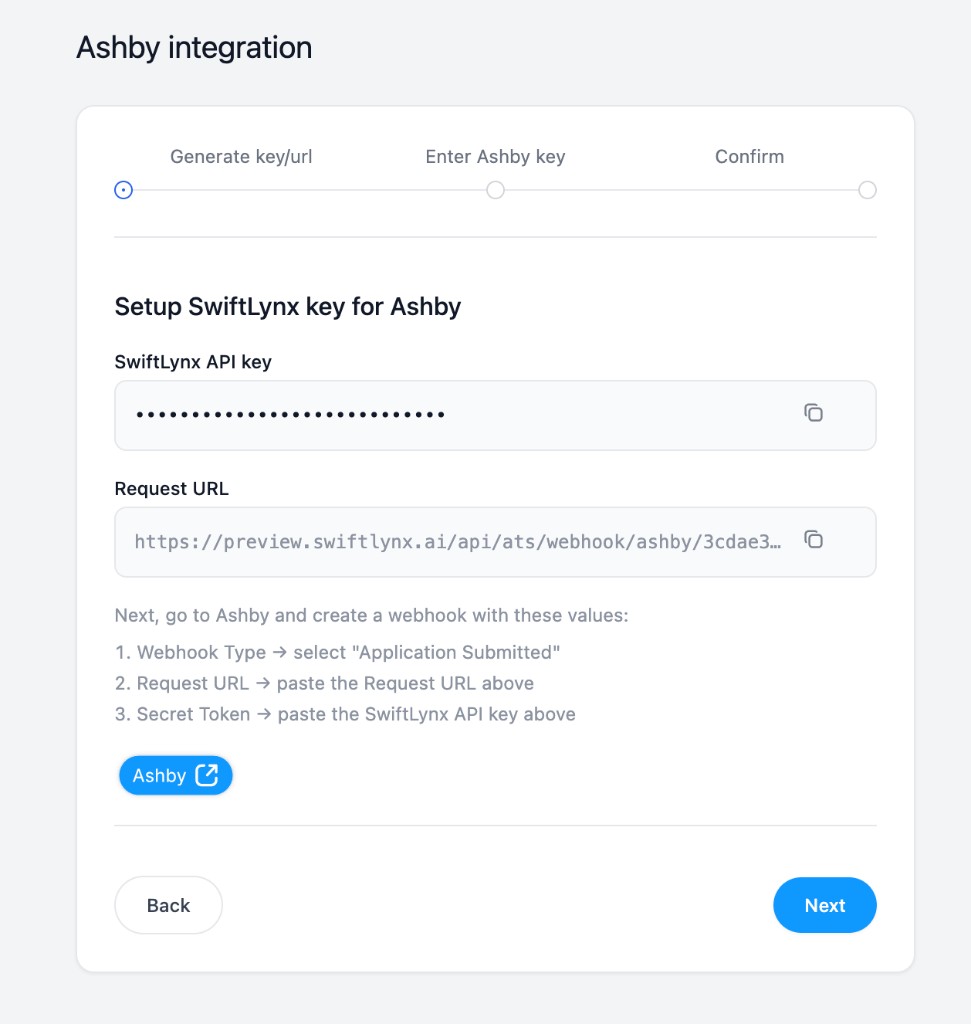
You’ll see the Ashby setup assistant. Click Continue — there’s no form to fill. SwiftLynx will create the integration and then show you a page with a Secret Token and Request URL. You’ll paste both into Ashby when you create the webhook in Step 2.
On that page, use the copy buttons to copy the Secret Token and Request URL. Keep it open in a tab while you complete the Ashby steps.
To get Slack notifications later, connect Slack separately: on Settings → Integrations, click the Slack card and connect via OAuth.
Step 2 — In Ashby: Create a Webhook
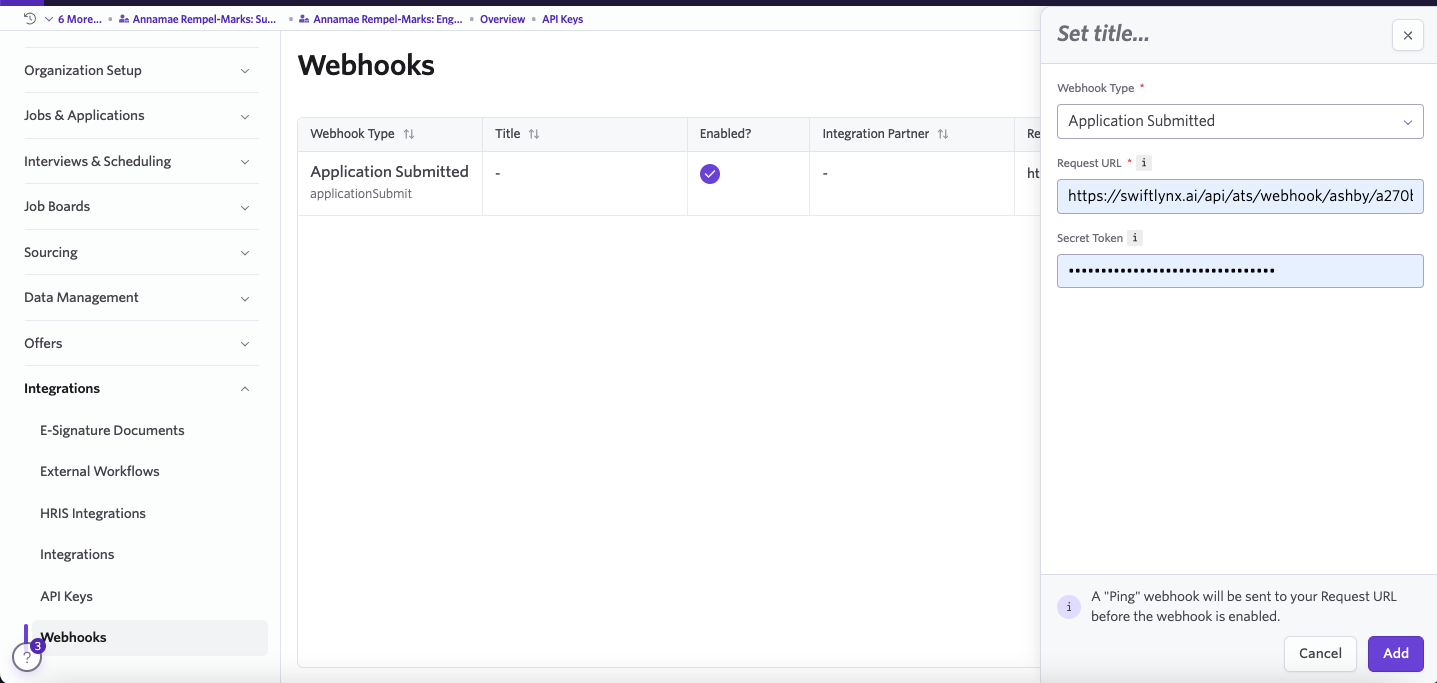
- Go to Admin → Integrations → Webhooks → Create Webhook.
- Set Webhook Type:
Application Submitted(or any events you want analyzed). - Request URL: paste the SwiftLynx Request URL · Secret Token: paste the SwiftLynx Secret Token.
- Enable and save. Ashby will send a ping; SwiftLynx replies 200 OK if successful.
Step 3 — In Ashby: Create an API Key
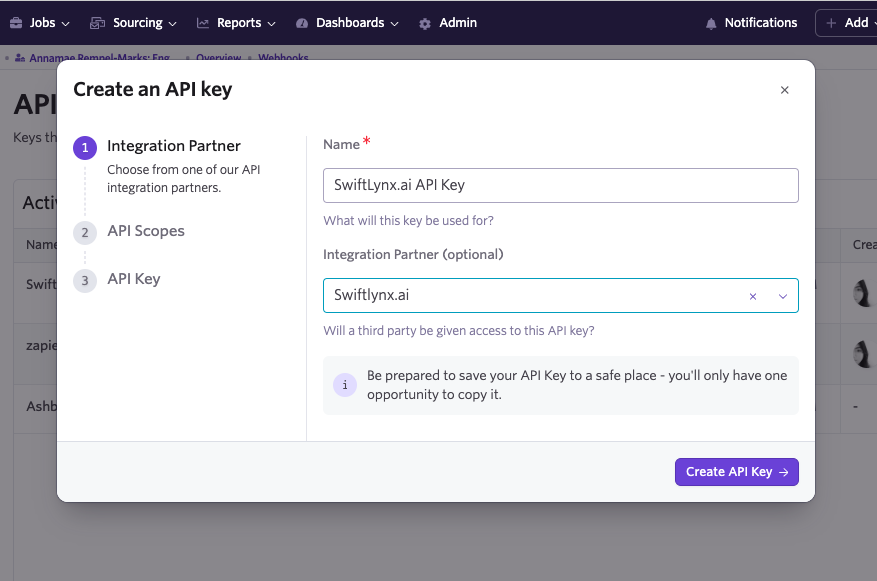
- In Ashby → Admin → Integrations → API Keys → Create API Key, set:
- Name:
SwiftLynx.ai API Key - Integration Partner (optional):
Swiftlynx.ai
- Name:
- Choose scopes (at minimum: Applications: Read and Jobs: Read), then create & copy.
Back in the same SwiftLynx setup assistant tab, advance to the Enter Ashby key step and paste the API key you just created in Ashby into the Ashby API key field. Click Next, then on the final step click Finish integration. From then on you can manage the integration from Settings → Integrations.
Step 4 — Configure Job Monitoring (Optional)
Job monitoring is configured on the Jobs page, not on the ATS integration page.
- Enable or disable monitoring: Go to Jobs, select one or more jobs, then click Start monitoring or Stop monitoring in the bottom bar. Jobs with monitoring enabled appear under the Monitoring tab.
- Score threshold: Open a job to view its detail page; in the right sidebar set Score threshold (default 80) for Slack notifications.
- Bulk Import: On the job detail page, click Import from ATS (top right) to analyze multiple resumes at once for any job.
- Dynamic Updates: Rankings update automatically as new applications come in.
Step 5 — Test the Flow
Submit a test application (or move an application to trigger your chosen event). Within moments, a Slack message should appear with the analysis summary and a link to the full report.
Application analyzed (ashby)
Candidate: Jane Doe
Job: Engineering Manager
Match score: 65/100
Match Level: Review Needed
Rank: 49 out of 49

Strengths:
- Extensive leadership experience
- Strong background in platform reliability
- Experience with global teams

Concerns:
- Lacks specific experience in writing job descriptions
- No direct mention of mentoring experience
- Unclear motivation for the specific role

Recruiter Recommendation:
Consider for interview if mentoring and job description writing can be developed.

Score Explanation:
The candidate has extensive experience in engineering leadership and platform reliability but lacks specific experience in writing job descriptions and mentoring.

Summary:
Jane Doe has a strong background in engineering leadership with 17 years of experience, particularly in platform reliability and managing global teams. However, the resume does not highlight specific experience in writing job descriptions or mentoring, which are key requirements for the role. If Swift can demonstrate these skills or is open to developing them, they could be a valuable asset to the team. An interview could further assess their fit for the role and motivation for joining the company.

View Profile
View Full Report: Click here to view detailed analysis
Troubleshooting
- No Slack message? Ensure Slack is connected via Settings → Integrations (click the Slack card, connect with OAuth). On your Ashby integration page, set the default Slack channel. Also check that your account has credits.
- Signature failed? Re-copy the Secret Token from SwiftLynx into Ashby (avoid spaces/hidden chars).
- Not receiving notifications for some jobs? Check your job monitoring configuration. By default, all jobs are monitored, but you can exclude specific jobs or set custom score thresholds.
- Bulk import not working? Ensure you have sufficient credits and that the job is properly configured in your monitoring settings. Bulk imports work best with jobs that have detailed descriptions.
Need help? Email support@swiftlynx.ai.
Requests are HMAC-verified. Ashby API keys are encrypted at rest and never shown again after saving.