AI resume screening for hiring teams
Start with ranked candidates, not resume piles.
Upload a job description and your resumes. Get every candidate ranked by fit with clear reasoning behind each result.
Review hundreds of applicants without sorting resumes one by one
Share one shortlist with reasoning attached
No ATS required · Start with 100 free resume analyses · No subscription required
Live jobs view
See ranking, shortlist quality, and job status in one view.
Updated live
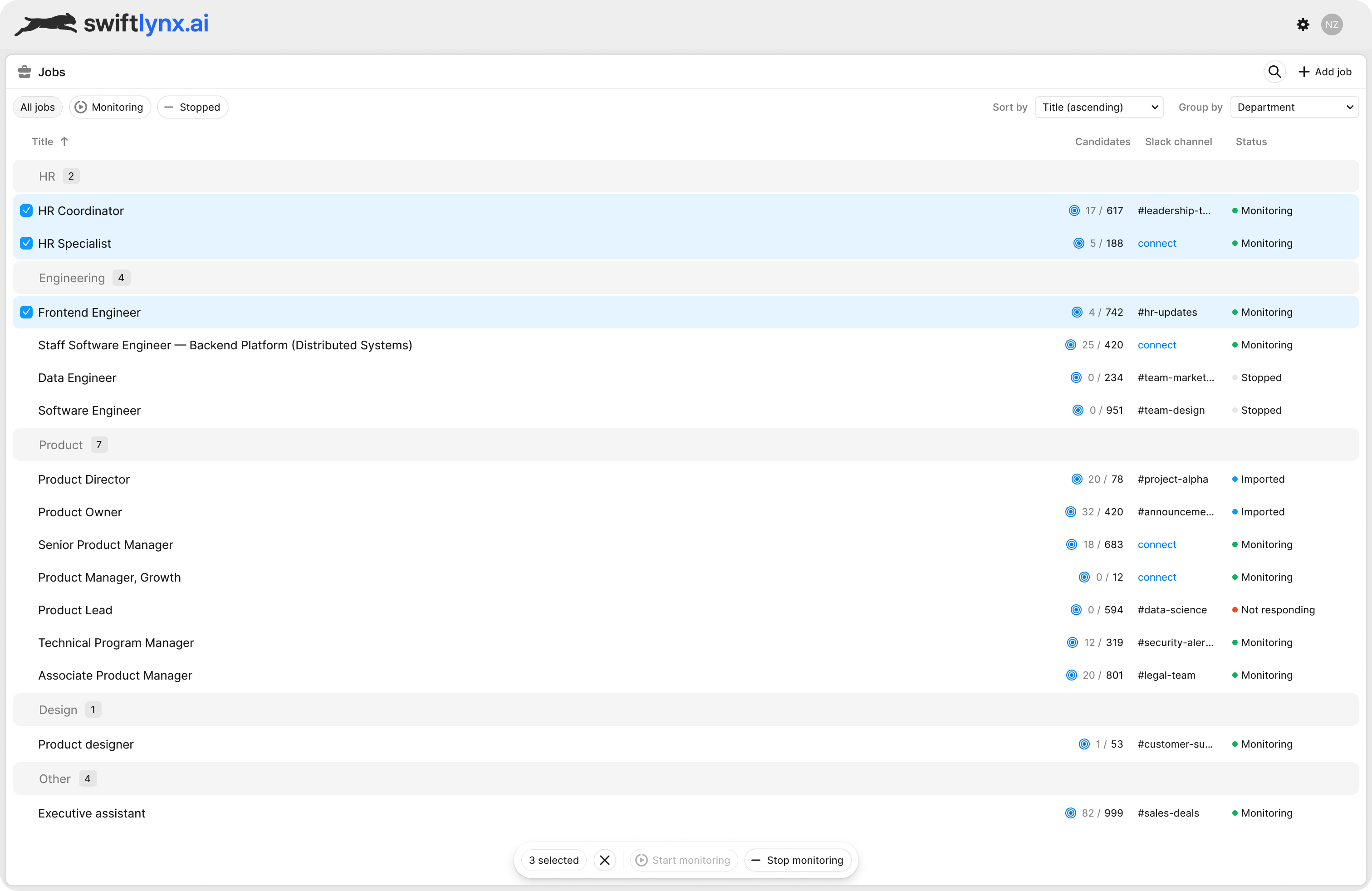
Top candidates firstRanked automatically as applicants arrive—no manual sort pass.
Manager-ready handoffOne shortlist ready to review and share.
Upload resumes directly — or connect your hiring stack


Built for hiring teams
In-house teams
Align recruiters and hiring managers around one shortlist faster.
Recruiting firms
Send clients one clear report instead of forwarded resumes.
Startups
Screen faster without adding recruiter headcount.
A ranking you can check
Every result is built to be verified by a person, not taken on trust.
No black-box scores
Every score shows what it is made of, and every requirement is checked against the resume with the evidence quoted.
Never auto-rejects
SwiftLynx ranks and explains. Who gets an interview is always your team's call.
Never trains on your data
Resumes and results are used only for your report. Resume text is deleted after 90 days, or the moment you remove it.
Platform walkthrough
Connect your workflow. Rank candidates. Share the decision.
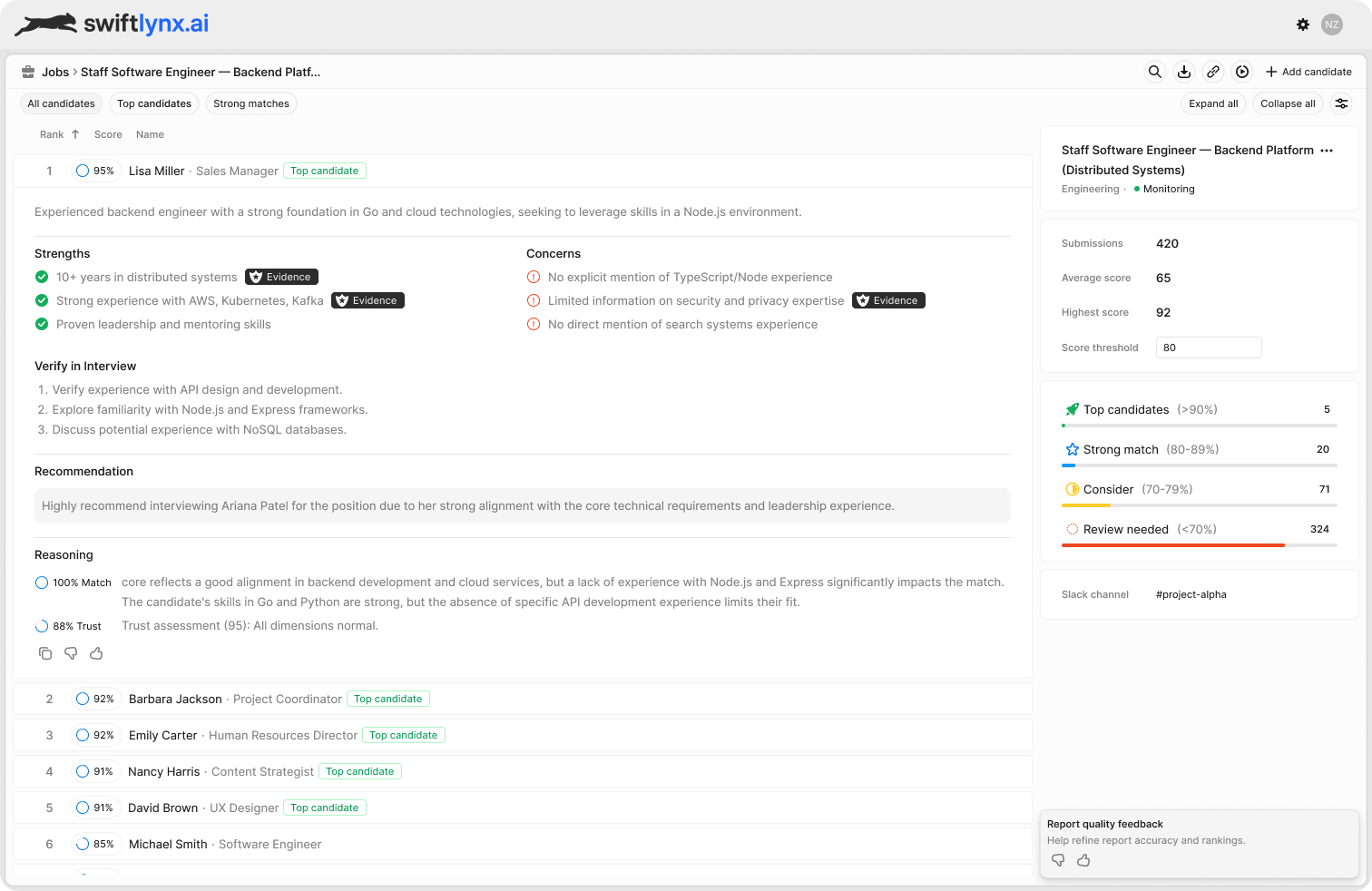
01Ranked matches
02Strengths and gaps
03Shareable report
01
Connect resumes
Sync an ATS job or upload resumes.
02
Rank candidates
Surface scores, strengths, gaps, and evidence.
03
Share the shortlist
Send a live report or export.
04
Move as a team
Advance from one ranked view instead of screening twice.
Better than the alternatives
Why teams use SwiftLynx instead of ATS filters or manual screening.
SwiftLynx is built for teams that need a shortlist they can explain, share, and move on without redoing the work.
1
Go beyond keyword filters
Go beyond keyword matches with ranking built around fit, context, and score confidence.
2
Stop sorting resumes one by one
Review hundreds of resumes without sorting them one by one or relying on memory to compare candidates.
3
Not just AI summaries
Get ranked candidates, score breakdowns, and decision-ready reports built for real hiring workflows.
Fewer resumes to re-review
Hiring managers start from a ranked shortlist, not a raw applicant pile.
Stronger first-pass decisions
Top candidates rise with score context, strengths, and concerns attached.
Less back-and-forth
Recruiters and managers review the same report instead of trading resumes over email.
Clearer shortlist quality
Teams can see who stands out and why before interviews begin.
Reports hiring managers can act on
From resume pile to a decision your team can act on.
This is where hiring decisions actually happen. Share one shortlist with reasoning attached so hiring managers can move forward without re-reviewing resumes.
One viewRecruiter and manager review the same ranked shortlist.
Full poolEvery applicant ordered by fit—not just the latest file opened.
Decision-readySee who to move forward without re-reviewing resumes.
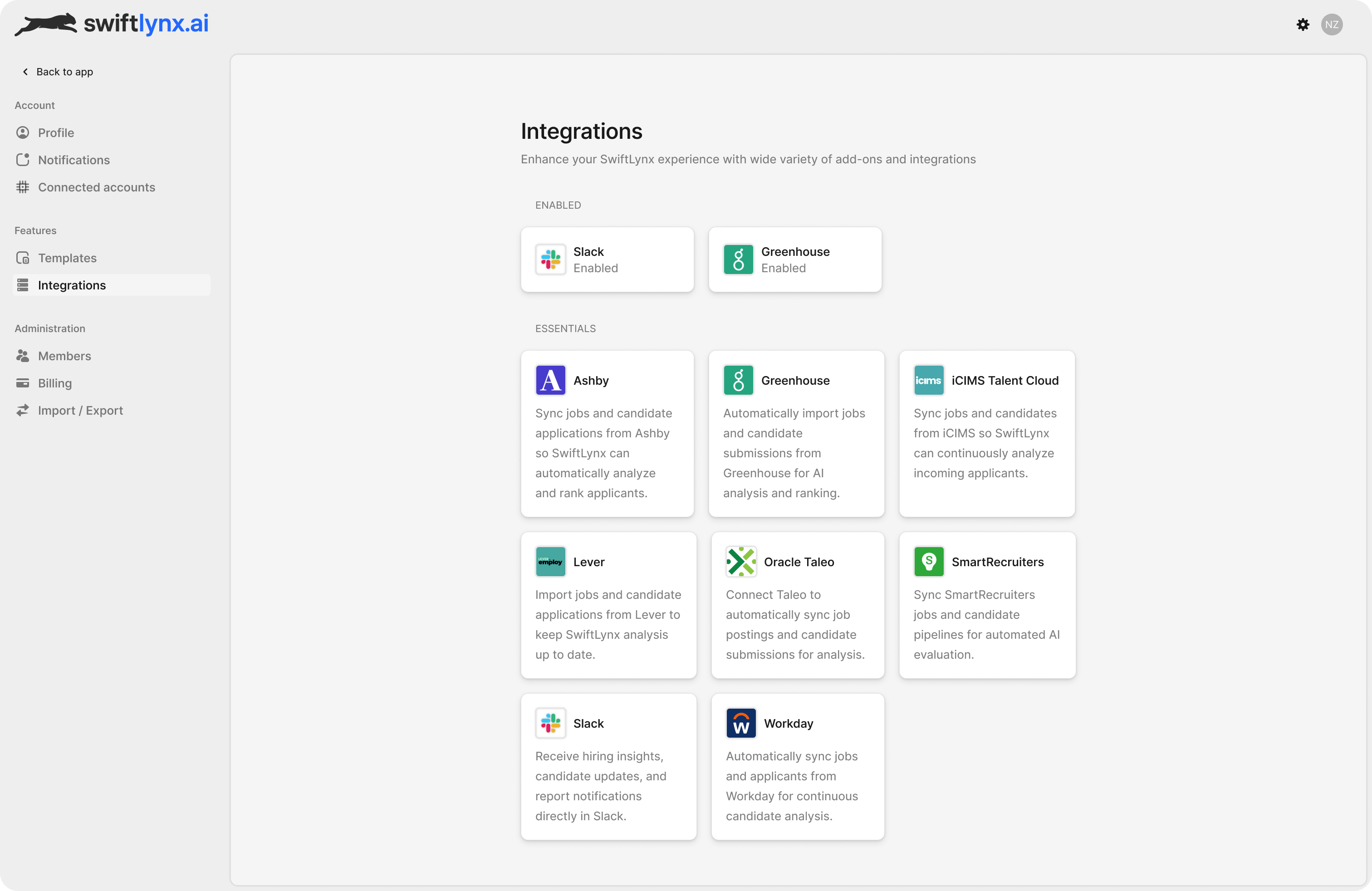
Integrations
Fits into hiring ops without creating another review silo.
Connect your ATS, Slack, and the tools your team already uses.
Collaboration
Built for recruiter-to-manager decisions.
Share one ranked shortlist with strengths, concerns, and recommendation notes attached—so hiring managers can move forward without re-reviewing resumes.
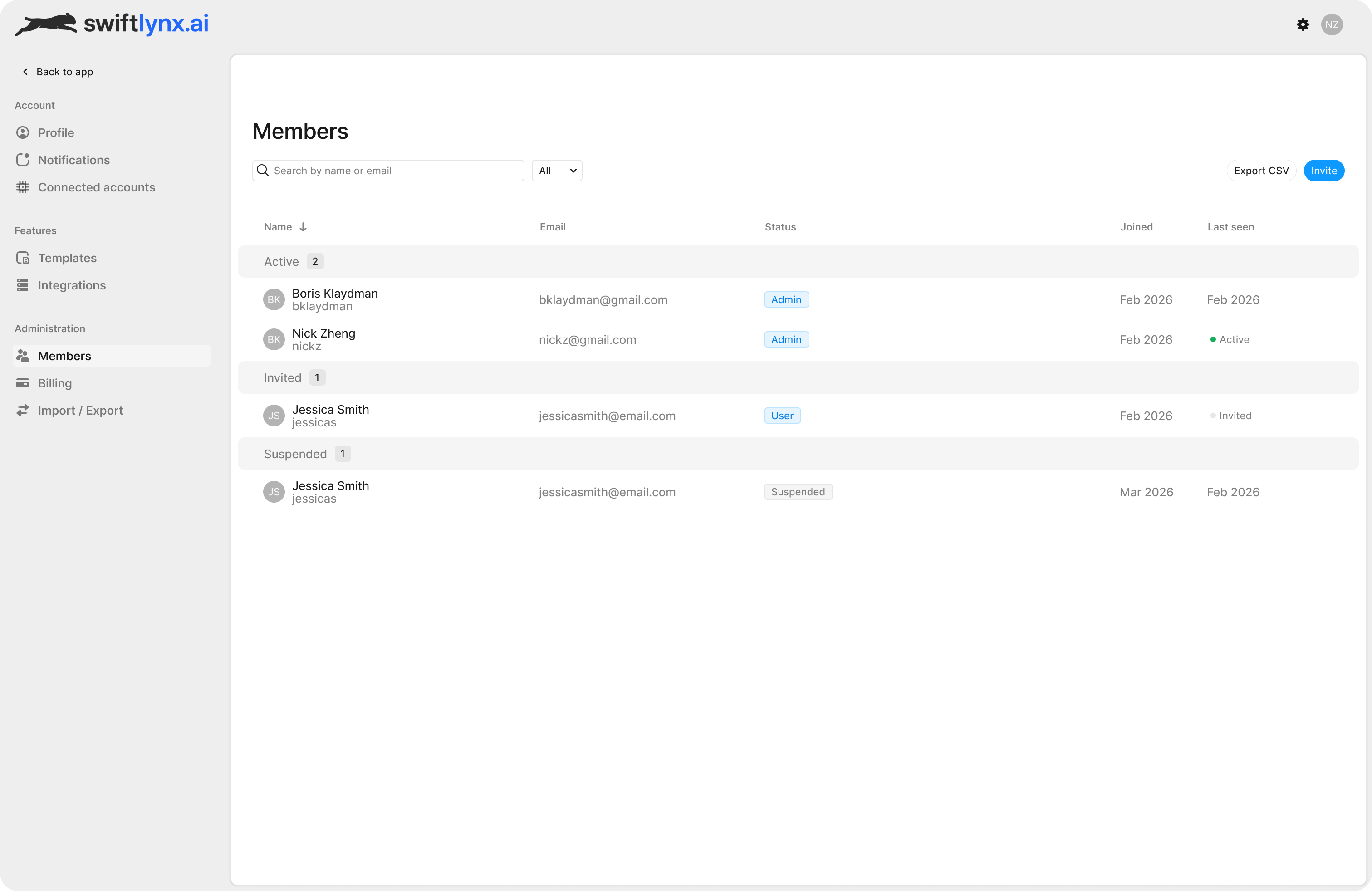
Validation
Proof that the shortlist is ready to use.
Teams can see why someone made the cut before interviews move forward.
A clear ordered list emerges from a large pool—without recruiters manually sorting every resume first.
First-pass screening compresses into one ranked view so teams can move to interviews faster.
Instead of forwarding resumes and re-explaining context, recruiters share one ranked report with strengths, concerns, and recommendation notes.
So hiring managers can see why someone made the shortlist before interviews move forward.
Ready to hire faster and smarter?
Start with the shortlist. Move to a decision faster.
Match resumes to the role, review the shortlist, and share one decision-ready report with your team.
Frequently asked questions
Answers to common questions about how SwiftLynx works. See the full list on the FAQ page.
What does SwiftLynx do?
SwiftLynx matches resumes to your job description using multi-layer AI analysis. Upload PDFs, Word docs, or TXT resumes — get ranked candidates with match scores, trust checks, evidence-backed insights, and one-click PDF reports.
Do I need an account?
Yes. Sign in to run analysis, save results, share links, download PDF reports, and purchase credits.
What can I do when signed in?
When signed in, analyses are saved, you can share links, download PDFs, and manage credits and invoices.
How do credits work?
Credits are pay-as-you-go. 1 credit = 1 resume analysis for each uploaded resume against the current job description.
Do credits expire? Is there a subscription?
Credit packs are a one-time purchase and never expire. Monthly plans (Starter and Growth) renew each month: plan credits are used before pack credits, last until the end of the billing period, and at renewal unused ones roll over, up to one month's allowance. Cancel any time from Settings → Billing and the plan ends at the period end; an upgrade takes effect now, a downgrade at the next renewal. Compare them on the pricing page.
Where can I see invoices or update my card?
Go to Account → Invoices to download PDFs. Use Manage billing to open the Stripe portal and update your payment method.